

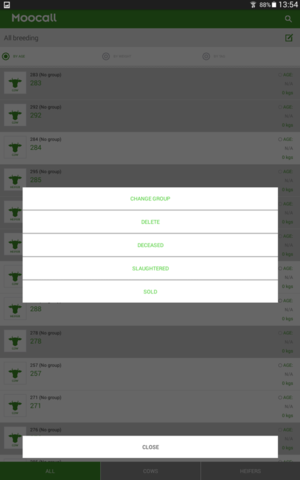
We have now made it quicker and easier to select and move multiple animals into a new animal group, to record deceased/slaughtered/sold animals or to simply delete a selection of cows from your herd
This feature is particularly useful if you wanted to delete a number of cull cows from your herd overview before the breeding season starts.
Article Chapters
How to do it?
Click into the relevant list of cows, be it one of the Smart lists such as “Inseminated” or your full Breeding herd list.
To select one animal, press and hold the screen on the desired cow/heifer, that animal will then appear highlighted as below:

You can then press and hold on multiple cows/heifers to highlight a selection you wish to perform an action on:
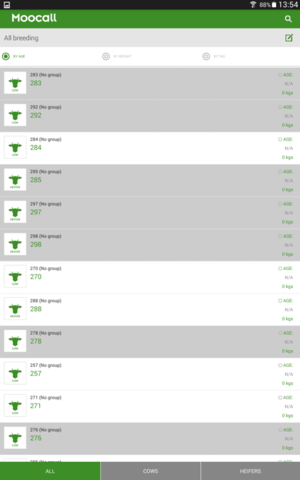
Once you have selected the required cows/heifers, click on the edit box icon to show your list of options and choose which action you want to perform:
For further advice on any of the above or any other app-related query, contact a member of our team to speak to one of our App Specialists on +353 1 96 96 038 or email support@moocall.com.